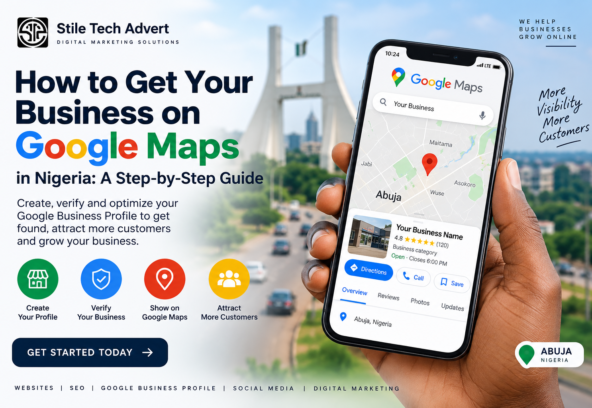
If someone searches for your business on Google Maps, can they find you?
For many businesses in Nigeria, the answer is either yes, but the information is incomplete, or not yet.
Being visible on Google Maps can make it easier for potential customers to find your location, call your business, visit your website, read your reviews, and get directions.
The good news is that you don’t need to pay Google to create a Google Business Profile. Eligible businesses can add or claim their profile at no charge.
In this guide, we’ll show you how to get your business on Google Maps in Nigeria, step by step.
What Is Google Maps for Business?
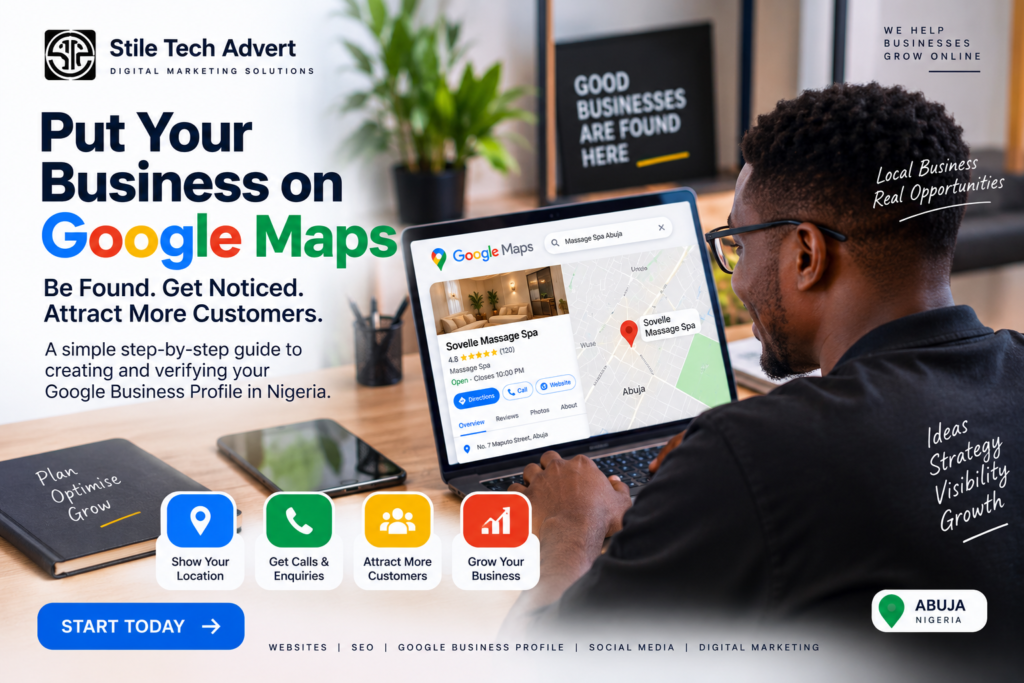
When people talk about putting a business on Google Maps, they are usually referring to creating a Google Business Profile.
A Google Business Profile allows an eligible business to manage how it appears on Google Search and Google Maps.
Depending on the business, customers may be able to see:
- Business name
- Address
- Phone number
- Website
- Opening hours
- Photos
- Services
- Customer reviews
- Directions
- Service area
Google describes a Business Profile as a way for businesses to manage how they appear on Maps and Search and interact with customers through photos, videos and reviews.
So if you’re trying to put your business on Google Maps, Google Business Profile is where you start.
Who Can Put a Business on Google Maps?
Before creating a profile, make sure your business is eligible.
Google says a Business Profile is generally available to businesses that make in-person contact with customers during their stated hours. This can include businesses with a physical location that customers visit and service-area businesses that travel to customers.
For example, eligible businesses can include:
- Restaurants
- Salons and spas
- Shops
- Hotels
- Offices that receive customers
- Clinics
- Repair businesses
- Contractors
- Service providers who visit customers
- Other local businesses
An online-only business that has no physical location customers can visit and does not meet customers in person generally isn’t eligible for a Business Profile.
How to Get Your Business on Google Maps in Nigeria
Step 1: Search for Your Business First
Before creating a new listing, search Google Maps for your business.
Open Google Maps and search for:
Your Business Name + Your City
For example:
Stile Tech Advert Abuja
or:
Massage Spa Abuja
You can also search Google for your business name and city.
Google recommends checking whether a profile already exists before adding a new one. If your business is already listed, you may need to claim the existing profile instead of creating another one.
This is important because creating duplicate profiles can create unnecessary problems.
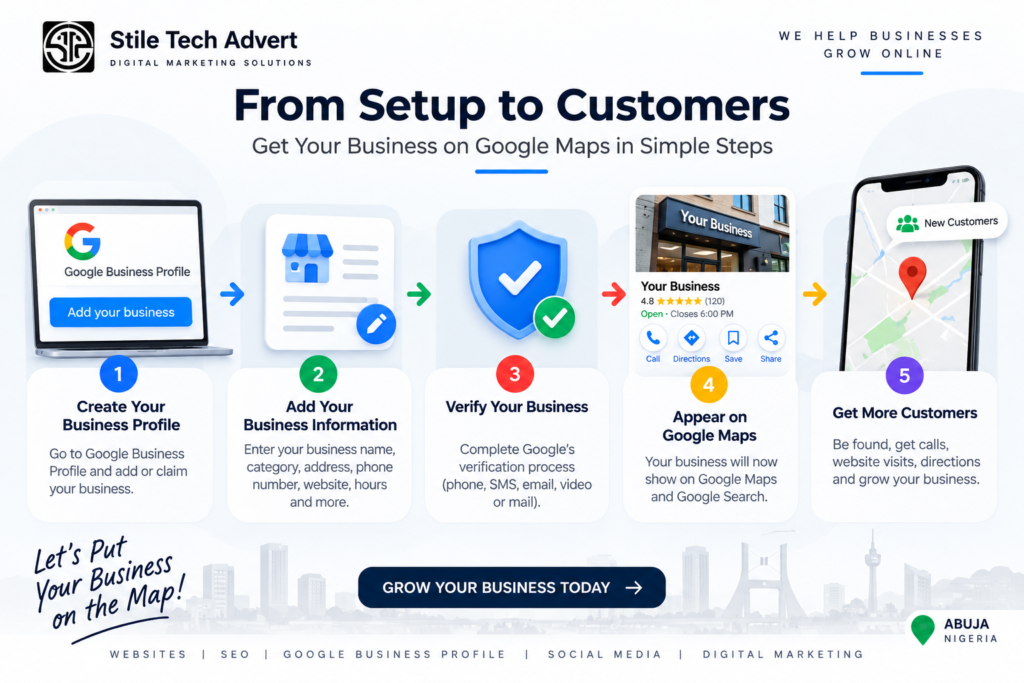
Step 2: Add or Claim Your Business
If you cannot find an existing profile for your business, you can create one.
Google’s current process is:
- Go to the Google Business Profile setup page.
- Select Add your business to Google.
- Enter your business information.
- Follow the instructions.
- Complete Google’s verification process.
Google Business Profile: Add or claim your business
Google states that adding or claiming a Business Profile is free.
If an existing listing belongs to your business, claim it instead of creating another listing.
Step 3: Enter Your Real Business Name
Use your actual business name.
For example:
Stile Tech Advert
Don’t change the name to something like:
Best Digital Marketing Agency in Abuja | Stile Tech Advert
just because you want to rank for more keywords.
Your Google Business Profile should represent your business accurately.
This is one of those areas where trying to “SEO” everything can actually cause problems.
Use the name customers know your business by.
Step 4: Choose the Correct Business Category
Google will ask you to select a business category.
This is important because your category helps Google understand what your business does.
For example:
- A restaurant should choose the most accurate restaurant category.
- A massage spa should choose the appropriate spa/massage category.
- A digital marketing agency should select the most relevant available agency/marketing category.
Don’t select a category simply because you think it has more searches.
Choose the category that best represents what the business actually does.
Step 5: Add Your Business Location
If customers visit your business at a physical location, enter the correct business address.
Make sure the address is complete and accurate.
Google allows eligible businesses to display a physical address. Service-area businesses can instead specify the areas they serve when they don’t receive customers at their address.
For example, if you operate a business in Abuja and customers visit your location, your address should accurately identify where the business is located.
Don’t use a fake address just to appear in another city.
That can create verification and profile problems.
Step 6: Add Your Phone Number and Website
Add a phone number customers can actually use to contact your business.
Then add your official website.
This creates another useful connection between your Google Business Profile and your website.
For example:
Google Maps → Website → Contact/WhatsApp → Customer
Google says Business Profiles can direct customers to a business website, social media, booking links and other destinations.
Step 7: Add Your Business Hours
Enter your actual opening hours.
If your business is open:
Monday – Saturday
don’t simply select every day because you think it will generate more visibility.
Accurate information is more useful to customers.
Google specifically recommends keeping business information complete, accurate and up to date because this can help businesses appear in relevant local searches.
Step 8: Verify Your Business
This is one of the most important steps.
Google needs to verify that you are authorized to represent the business.
The verification methods available to you depend on factors such as your business, region and other information Google has about the business.
Depending on what Google offers, verification can involve:
- Phone or SMS
- Video
- Live video
Not every business receives the same verification options. Google determines which methods are available for a particular profile.
If Google asks you to verify by video, for example, you may need to demonstrate the business location, signage, equipment, products or other evidence that shows you manage the business.
Important: Never share your Google verification code with another person.
Step 9: Complete Your Google Business Profile
Getting onto Google Maps is only the beginning.
Once your profile is verified, complete as much relevant information as possible.
Add:
Business description
Explain clearly what your business does and who you serve.
Services
List the actual services you provide.
Google allows businesses to add services and descriptions to their Business Profile.
Photos
Add genuine, high-quality photos of your:
- Business location
- Team
- Products
- Services
- Interior
- Exterior
- Equipment
- Work
Logo
Add your business logo where appropriate.
Reviews
Encourage genuine customers to leave reviews and respond professionally to reviews you receive.
Don’t buy fake reviews.
The goal is to give potential customers enough information to understand your business before they contact you.
If your business is already on Google, the next step is to make sure your profile is properly optimized. Read our guide on Google Business Profile Optimization to learn practical ways to improve your local visibility.
Step 10: Make Sure Your Website Matches Your Business Information
This is something many businesses overlook.
Your website and Google Business Profile should not tell completely different stories.
For example, if your Google profile says:
Business Name: ABC Digital Solutions
but your website uses:
ABC Digital Marketing Nigeria Ltd
and your phone numbers, location and other details are inconsistent, it can create confusion.
Keep your important business information consistent wherever your business appears online.
Your website should also clearly explain:
- What you do
- Where you operate
- Who you serve
- How customers can contact you
This makes your website a useful supporting asset for your Google presence.
Why Is My Business Not Showing on Google Maps?
Sometimes a business has created a profile but still cannot find it prominently on Google Maps.
There are several possible reasons.
Your profile isn’t verified
Verification is an important step before your business information can properly appear on Google.
Your information is incomplete
Google recommends keeping your information complete and accurate.
Your business is new
New businesses may need time before they become established in local search results. Google notes that rankings for new businesses can take time to appear.
Your business information doesn’t follow Google’s guidelines
Incorrect business names, addresses, categories or other violations can cause problems with a Business Profile.
You’re expecting instant rankings
Getting a business onto Google Maps doesn’t automatically mean it will appear first when someone searches for your service.
Being listed and ranking well are two different things.
How to Rank Higher on Google Maps
Once your business is on Google Maps, the next question is usually:
How do I get my business to appear higher?
Google says local results are influenced by factors including relevance, distance and prominence.
That means creating the profile is only the foundation.
You should also work on:
- Complete and accurate business information
- Relevant business categories
- Genuine customer reviews
- Useful photos and updates
- A properly optimized website
- Local SEO
- Consistent business information across important platforms
- Relevant local mentions and citations
- Stronger overall online visibility
There is no legitimate button you can press to guarantee the #1 position on Google Maps.
Local SEO is a process.
Google Maps vs Google Search: What’s the Difference?
Google Maps and Google Search are closely connected, but they aren’t exactly the same experience.
Someone searching:
massage spa near me
may see local businesses through Maps and local search results.
Someone searching:
how to choose the right massage for stress relief
may primarily see websites and other informational results.
That’s why local businesses shouldn’t rely only on Google Maps.
A strong online presence can include:
Google Business Profile + Website + Reviews + Local SEO + Social Media + Useful Content
Each part supports the customer’s journey in a different way.
Does It Cost Money to Put a Business on Google Maps?
No.
Creating and claiming an eligible Google Business Profile is free.
However, businesses may choose to spend money on other things such as:
- Website development
- SEO services
- Professional photography
- Advertising
- Social media marketing
- Content creation
These are separate from creating the Google Business Profile itself.
You don’t need to pay someone simply to “unlock” Google Maps.
Final Checklist: Is Your Business Properly Set Up on Google Maps?
Before you finish, check these items:
☐ Business name is accurate
☐ Correct primary category selected
☐ Address or service area is correct
☐ Phone number is correct
☐ Website is connected
☐ Opening hours are accurate
☐ Business has been verified
☐ Business description is complete
☐ Relevant services have been added
☐ Quality business photos have been uploaded
☐ Genuine customer reviews are being collected
☐ Reviews are being answered
☐ Website information matches the business profile
If you’ve completed these steps, you’ve built a much stronger foundation for local visibility.
Final Thoughts
Getting your business on Google Maps in Nigeria isn’t complicated, but it is important to do it correctly.
Start by checking whether your business already has a profile. If it doesn’t, create one through Google Business Profile, provide accurate information, complete the verification process, and then fully optimize your profile.
But don’t stop at simply getting listed.
Your goal should be to build a trustworthy online presence that helps customers find you, understand what you offer, contact you and ultimately choose your business.
And that’s where Local SEO becomes much more important.
If your business is already on Google Maps but isn’t getting enough visibility, the next step isn’t necessarily to create another profile. You need to understand why you’re not ranking well and what can be improved.